Skip to main content
How Can We Help?
If you had Doc Converter Pro 3 or earlier and have installed Doc Converter Pro 4 without reinstalling the MS Word Add-in (if you are using it), you will experience this error:
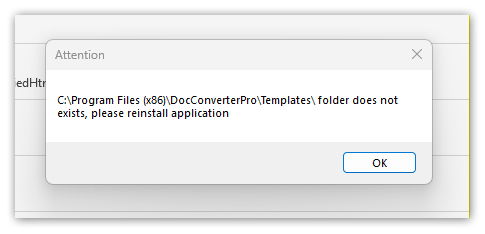
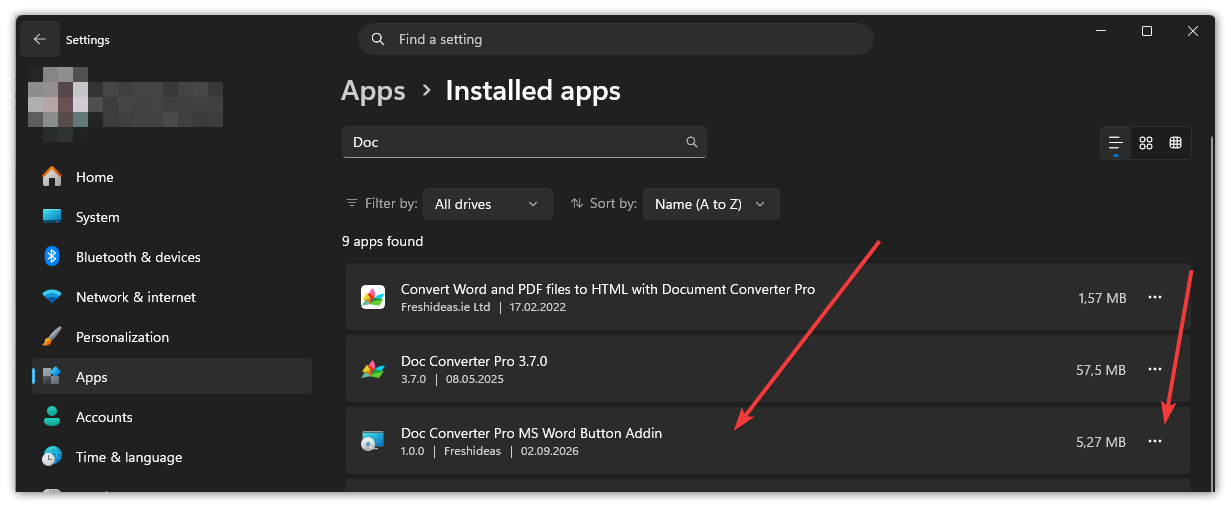
If you have already installed Doc Converter Pro 4, you need to uninstall the old Doc Converter Pro 3 Word add-in via Settings -> Apps -> Installed Apps -> Doc Converter Pro MS Word Button Add-in:
And install the new version from the latest Doc Converter Pro 4 (Settings -> MS Word Settings):
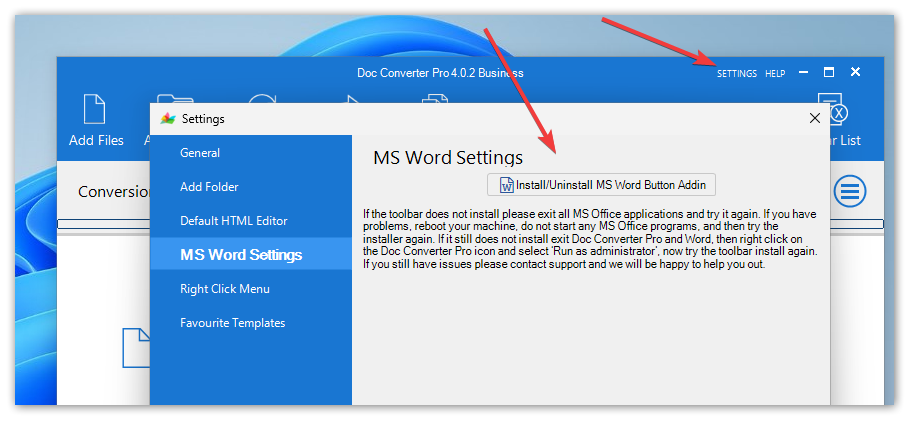
If you still have Doc Converter Pro 3 or earlier and you plan to use the latest Doc Converter Pro 4 and the MS Word add-in, then you should uninstall it before installing the new version from Doc Converter Pro 4 and install it as shown in the screenshot above.