How Can We Help?
When you convert a document in our app, you have the option to output it as Fixed HTML. This guide explains what this format is, when to use it, and how it benefits you.
Quick Summary
Fixed HTML turns your Word documents or PDFs into web pages that look exactly like the original file. No shifted text, no missing fonts, and no broken layouts.
What is Fixed HTML?
Standard web pages are fluid; they stretch and change depending on your screen size. Fixed HTML works differently. It acts like a digital blueprint, locking every single element—images, text boxes, and margins—into an exact position.
Think of it as a PDF that opens instantly in any web browser without needing a PDF reader.
Key Benefits
- Flawless Design: Your document looks identical on all browsers and devices.
- No Software Needed: Anyone can view your file instantly on a phone, tablet, or computer.
- Fonts Stay Put: Even if a viewer does not have your document’s fonts installed, the text displays correctly.
Good to Know: Editing and File Structure
To keep your layout perfectly intact, our app writes highly detailed, precise code behind the scenes.
- Great for Viewing: This complex structure is ideal for flawless presentation.
- Not for Heavy Editing: Because the code is so precise, making major content changes or rewriting paragraphs later in an HTML editor can be difficult.
- Tip: Always keep your original Word or PDF file if you plan to make large text changes later.
Here is a direct comparison chart you can add to your knowledge base page to help users choose the right format.
Fixed HTML vs. Standard HTML
| Feature | Fixed HTML | Standard HTML |
|---|---|---|
| Visual Accuracy | 100% identical to the original PDF or Word file. | Layout changes based on screen size. |
| Best Used For | eBooks, brochures, flyers, and formal reports. | Blog posts, articles, and text-heavy web pages. |
| Screen Adaptability | Shrinks or grows like an image to fit screens. | Text wraps and flows automatically to fit screens. |
| Ease of Editing | Hard to edit; text is locked into exact coordinates. | Easy to edit and rewrite using any HTML editor. |
| Font Consistency | Looks identical even if the viewer lacks the font. | Relies on the viewer’s device having the font. |
| Code Structure | Complex code using absolute CSS positioning. | Simple, clean, semantic HTML code. |
🛠️ For Technical Users: Under the Hood
If you understand web development, here is how our conversion engine handles your Word and PDF files:
- Absolute Positioning: Elements are styled using explicit CSS coordinates (
top,left,width,height) to prevent responsive shifting. - Font Embedding: Fonts are converted and embedded directly into the file (or referenced via web fonts) to ensure cross-platform visual consistency.
- Inline Elements: Text blocks are often segmented into specific visual spans to preserve exact tracking, kerning, and line breaks.
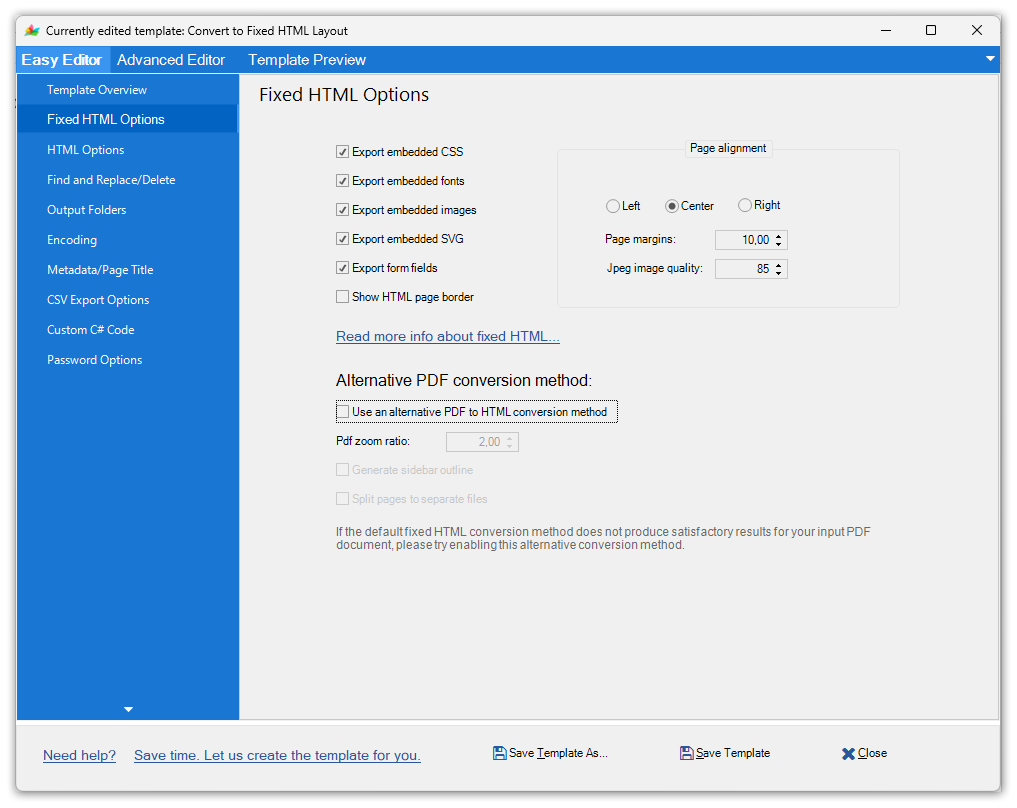
Doc Converter Pro fixed HTML options allow you to control if you want to embed CSS, fonts, images, border and alignment of the fixed HTML content.
Also, if you convert a PDF document, then you can also use an alternative (different) conversion method (second engine) to convert PDFs to a pixel-perfect visual layout in the browser.